01
What needs attention
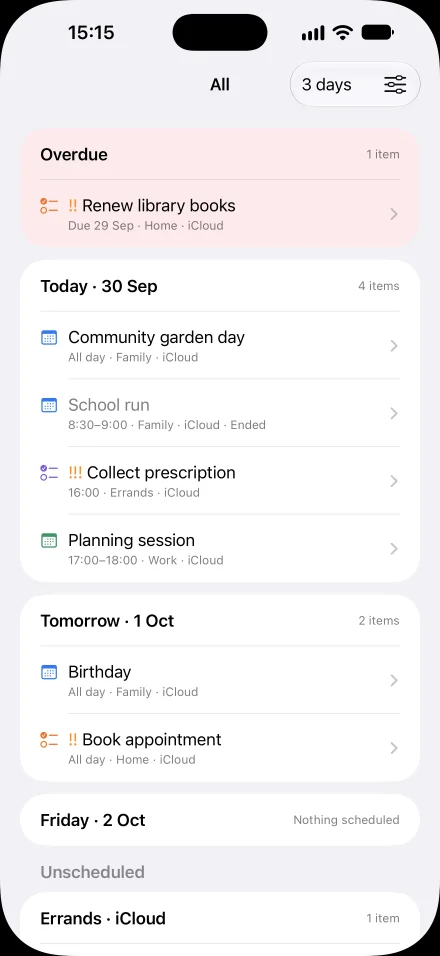
Overdue reminders come first. Then see every day in your 1–7 day horizon, starting today, with events and reminders together. Undated reminders follow, grouped by list.
Ahead for iPhone and iPad
Overdue reminders, today’s events and the days ahead, together in one calm, read-only agenda. You choose exactly which calendars and reminder lists appear.
01
Overdue reminders come first. Then see every day in your 1–7 day horizon, starting today, with events and reminders together. Undated reminders follow, grouped by list.
02
Create named views such as Work or Family from your chosen calendars and lists. Switch from the agenda title, or enable swiping between views.
03
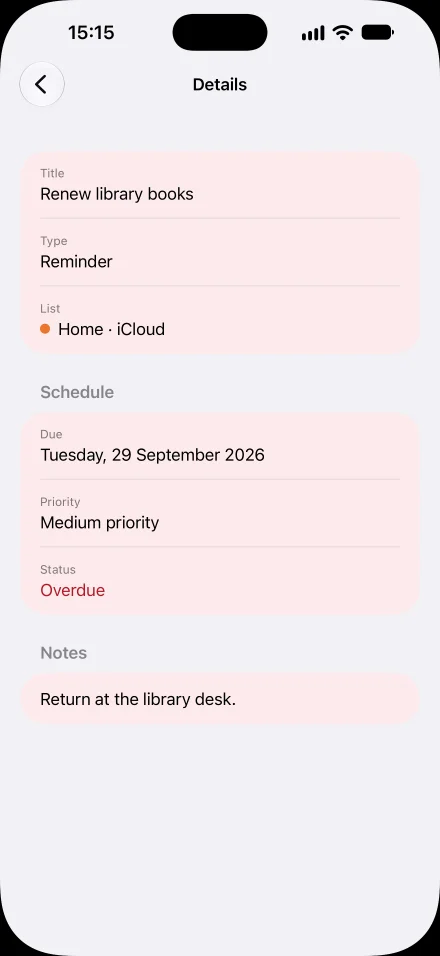
Tap an item for its time or due date, source, notes, link, location, priority and repeat status when available. Edit or complete it in Calendar or Reminders.
Inside Ahead
Read-only and private
Ahead has no account, advertising, analytics or tracking. Apple requires full Calendar and Reminders permission to read them; Ahead reads only your selected sources and never creates, edits, deletes or completes an item. It stores your display choices on your device.
For iPhone and iPad with iOS or iPadOS 27 or later.